In short
- Niche down to high-utility assets like automated spreadsheets or specialized design files rather than generic, saturated PDF planners.
- Bypass Etsy's 20MB upload limit by hosting larger files on secure cloud storage and delivering a beautifully formatted PDF access guide.
- Price your products between $9 and $27 using bundles to maintain a high average order value and absorb Etsy's transaction fees comfortably.
- Optimize your SEO with high-intent search terms like 'commercial use SVG' or 'editable Canva template' to capture ready-to-buy traffic.
On this page
- Why high-utility assets beat generic templates in 2026
- How to structure your digital files for zero-friction downloads
- The pricing strategy that protects your margins and drives volume
- SEO tactics to rank your digital listings without ad spend
- Automating your customer service to keep income truly passive
- Frequently Asked Questions
- References

Selling Etsy digital products in 2026 requires moving away from saturated, generic templates and focusing on hyper-specific, high-utility assets that solve immediate buyer problems.
As sellers, we love the 90% profit margins of digital downloads, but the days of throwing 50 basic Canva planners at the wall and hoping for a $1,000 month are over. To win search rankings and secure consistent passive income today, you need a tactical approach to file delivery, listing optimization, and search intent.
Why high-utility assets beat generic templates in 2026
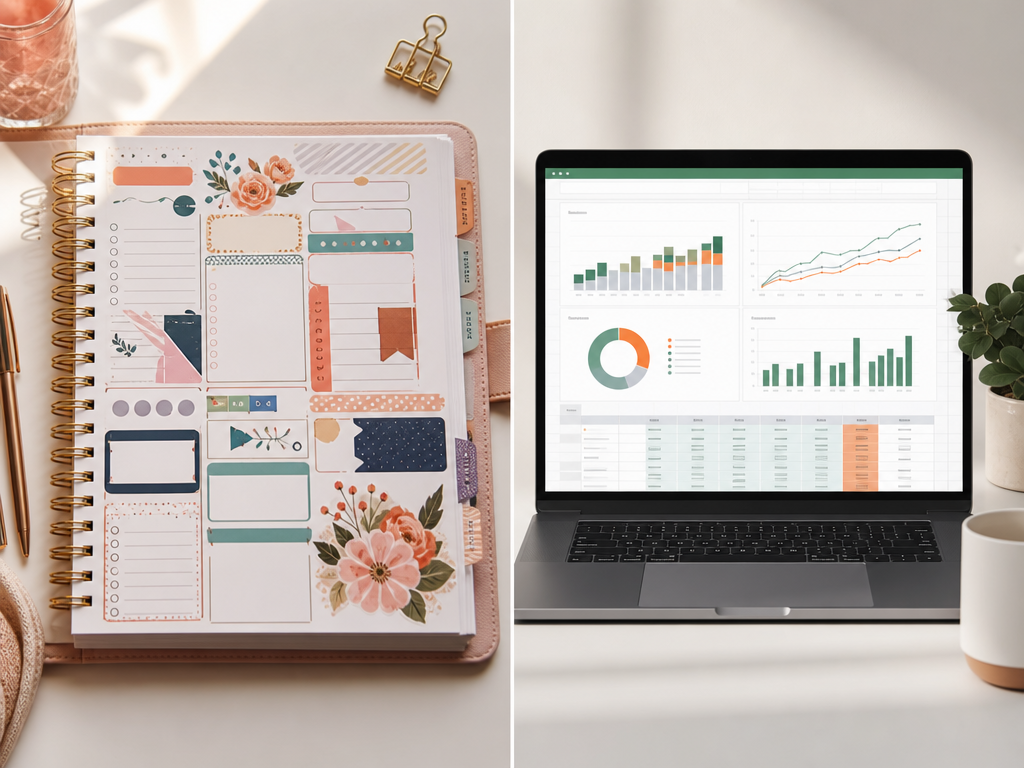
Let's be real: the era of the lazy $3 Canva "aesthetic planner" is dead. In 2026, if you want to make actual money selling Etsy digital products, you have to stop selling generic templates and start selling high-utility assets. When you sell a basic weekly planner, you are competing with 150,000 other sellers on price alone, dragging your average order value (AOV) down to pennies. Instead, we need to build complex, problem-solving files that buyers gladly pay $25 to $50 for because it saves them hours of manual labor.
Automated spreadsheets: Swap basic budget PDFs for a dynamic Excel bookkeeping template tailored specifically for Airbnb hosts, complete with automated tax-write-off calculators. Price point: $34.
Production-ready SVGs: Move away from generic clipart to multi-layered, CNC-ready laser cut files for local woodworkers. Price point: $19.
Industry-specific kits: Create notary public client onboarding packets instead of generic business flyers. Price point: $45.
By targeting these hyper-niche pain points, you aren't just raising your prices; you are slashing your customer service time. Buyers of high-utility assets are looking for utility, not design tweaks, keeping your net margins near 95% while pushing your shop's average transaction size past the $30 mark.
How to structure your digital files for zero-friction downloads
Etsy limits us to five files at 20MB each. If you are selling high-res Canva templates, SVG bundles, or printable wall art, you will hit that ceiling instantly. Do not try to compress your high-quality work into low-res garbage just to fit their system. Instead, upload a single, beautifully branded PDF delivery sheet to Etsy. This PDF acts as your customer's portal. It should feature a clean layout, a warm "thank you" note, and a prominent, clickable button linking to a secure Google Drive or Dropbox folder containing the raw, uncompressed assets.
The Anatomy of a Zero-Friction Delivery PDF
Direct access links: Use a clean, non-expiring link set to "Anyone with the link can view" to prevent permission-request emails.
Clear file naming: Label assets logically (e.g., `11x14_HighRes_Print.jpg`) so buyers don't have to guess.
A 1-minute video tutorial: Embed a quick Loom link showing exactly how to unzip or edit the files.
By hosting your Etsy digital products externally, you bypass the size limits entirely while maintaining a premium brand experience that cuts down on customer service messages by up to 90%.
The pricing strategy that protects your margins and drives volume
Let’s talk about the race to the bottom. Pricing your Etsy digital products at $1.99 is a trap. Not only does a rock-bottom price signal "cheap quality" to buyers, but the math actively works against you. After Etsy’s $0.20 listing fee, 6.5% transaction fee, and payment processing fees, a $2 sale leaves you with about $1.15. If that sale came from an Etsy Off-Site Ad (which takes a 15% cut), your profit shrinks to a measly $0.85. You cannot scale a business on eighty-five-cent margins.
To protect your margins and scale your average order value (AOV), you need a tiered pricing structure. Instead of selling single templates, package your assets into high-value bundles priced between $9 and $27. This shift completely changes your unit economics.
The Entry Tier ($9.00): A highly focused, single-use tool (e.g., a specific budget tracker) that establishes trust.
The Sweet Spot Bundle ($17.00): A mini-kit combining three related templates that solves a broader problem.
The Mega-Bundle ($27.00): Your entire toolkit. This easily absorbs the 15% Off-Site Ad fee while leaving you with over $20 in pure profit per sale.
SEO tactics to rank your digital listings without ad spend
To rank your Etsy digital products without burning cash on Etsy Ads, you must optimize for utility search intent. Digital buyers don't browse; they search for immediate solutions. This means your SEO must lead with high-converting modifiers: editable, printable, instant download, and commercial use.
The 3-Point Keyword Placement Blueprint
The Title Front-Load: Place your high-intent modifier in the first 40 characters. Instead of 'Floral Wedding Invitation,' use 'Editable Wedding Invitation Template, Printable DIY Elegant Invite.'
The 150-Character Description Hook: Etsy indexes the first 150 characters of your description for search. Start with: 'Download this printable budget planner instantly. Fully editable in Canva and includes a commercial use license.'
Tag Stacking: Use all 13 tags. Never use single words. Combine your core product with modifiers (e.g., use 'printable wall art' and 'commercial use art' instead of just 'art' or 'printable').
By aligning your metadata with exactly how digital buyers filter their searches, you'll capture high-intent traffic that converts at 5% to 8%—well above the platform average—without spending a single dime on PPC.
Automating your customer service to keep income truly passive
"Passive income" isn't passive if you're spending two hours a day troubleshooting ZIP files. In my shop, 85% of customer messages boil down to two issues: "Where is my link?" and "How do I edit this?"
The Two-Step Support Stack
To reclaim your time, set up an Etsy Saved Reply for immediate troubleshooting. Since 90% of download issues happen because buyers try to use the Etsy mobile app (which doesn't support downloads), your template must address this instantly.
"Hi [Name]! Etsy handles digital delivery. Go to Etsy.com/your/purchases on a mobile or desktop browser—not the Etsy app. Click 'Download Files' next to your order. If you're editing in Canva, make sure you are logged into your free account first!"
Next, pre-empt the messages by optimizing your PDF delivery template. Every digital download should deliver a 1-page PDF containing:
A direct, bolded link to the template or file.
A 3-step visual guide on how to unzip files or open them in free software.
A brief FAQ section addressing the exact errors they might see.
Implementing this cut my support tickets by 70%, keeping my margins high and my admin time under 15 minutes a week.
Frequently Asked Questions
How do I deliver digital files larger than Etsy's 20MB limit?
To deliver files larger than 20MB, upload your assets to a secure cloud storage service like Google Drive or Dropbox. Then, create a professional, one-page PDF delivery sheet on Canva containing the direct download links. Upload this PDF to your Etsy listing to ensure instant, seamless customer access.
Do I need a commercial license to sell Canva templates on Etsy?
Yes, you must ensure your templates are created using free Canva elements or your own original designs. If you use Canva Pro elements, your customers will be forced to pay to download them, leading to negative reviews. Always share your designs using the official 'template link' format.
What are the most profitable digital products to sell on Etsy?
The most profitable digital products in 2026 are high-utility assets that solve specific problems. These include automated Excel or Google Sheets budget trackers, specialized commercial-use SVG cut files for crafters, professional Lightroom presets, and highly niche business templates like client onboarding packets for independent contractors.
References
Is your listing ready for search?
Paste your title and tags; it flags duplicates, tags over 20 characters and empty tag slots.
Open the Listing CheckerNo sign-up needed
Emirhan Sevim
Co-founder of Optimsy. Builds tools that help Etsy sellers make listing, pricing and niche decisions with data.
About Optimsy →